

Experts in Voice Productivity and Digital Workflow Solutions
Originally founded in 1993, ZephyrTec has become a leader in speech recognition software and digital dictation implementation, training, and support. Our mission is to assist our clients to be successful in using dictation and speech recognition software in their workplace for increased productivity, loss prevention and to return-to-work. We can help you install and configure voice productivity solutions to meet your needs, and then train your users for maximal efficiency and productivity. Our team includes expert trainers, programmers, administrators and executives.
How We Assist You:
Training
We provide training with speech recognition and digital dictation software. As seasoned users and highly experienced experts, our team of trainers and support engineers have tested and customized the software in the most complex platforms. We develop our own, proprietary training materials that are used by many professionals annd other resellers of Dragon speech recognition.
Evaluation
Whether it’s a formal evaluation of how appropriate speech recognition may be for a particular job or a brief study of a particular system, we can help you understand the technical details and identify the best solution for your needs. We think evaluation works both ways – we need to understand your needs so we can provide the most accurate advice, but we also need to give you enough information to make an informed decision.
Consultation
We have implemented speech recognition and digital dictation with individuals, small firms, large companies and Fortune 500 organizations. That gives us the experience to know that they are all different – we can also discuss what did (or didn’t) work elsewhere, but each client deserves their own plan to fit what they need. In person, online, or by phone – we’re going to get you the information you need to make the right choice.
Work Faster and Smarter with Our Professional Productivity Solutions
Today there are many pressures on employees to work more productively, and for business to operate more efficiently and do more with less. To help relieve these pressures and enable people and businesses to operate faster and smarter, ZephyrTec offers a suite of voice productivity solutions and services that include:
What’s New at ZephyrTec:
News Blog

Dragon Medical One Ranks #1 in 2023 Best in KLAS Report
Dragon Medical One earns #1 Best in KLAS Award for speech recognition for the third consecutive year. We are pleased to announce that the Nuance Dragon Medical One cloud-based speech recognition platform was ranked market leader in Speech Recognition: Front-End EMR for the third conse
Product Spotlight
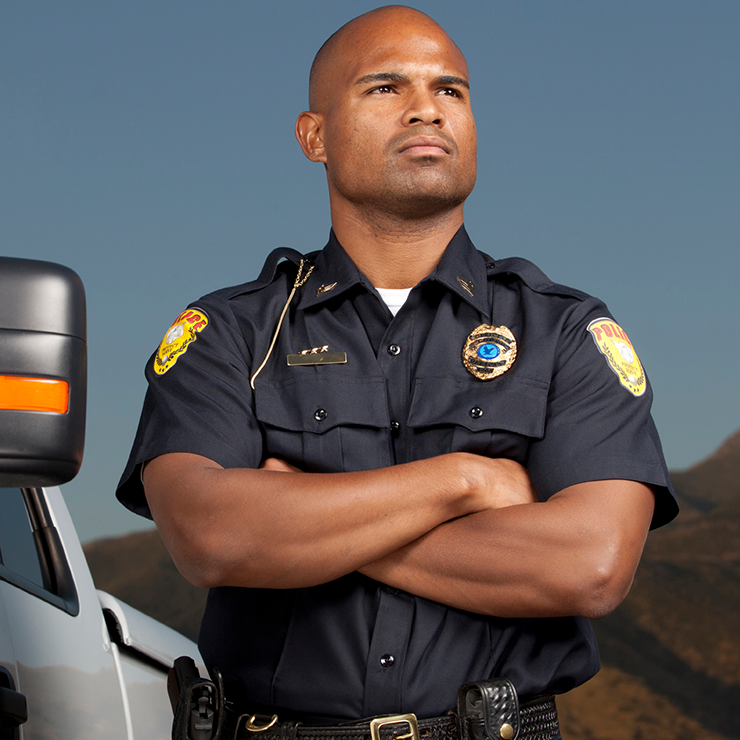
Fight Paperwork with Dragon Law Enforcement
Dragon Law Enforcement is the first professional productivity solution designed specifically for law enforcement professionals. With Dragon Law Enforcement you can quickly streamline your data entry into records management systems (RMS) with up to 99% accuracy. Allowing you to document and dictate reports in real time, while giving officers the ability to create more detailed and accurate reports.
Upcoming Events
ZEPHYR-TEC WEBINARS
& Events:
ZephyrTec Training
2-hour session focused on your custom needs.
Schedule at a time most convenient to you.
CLICK HERE to register today.