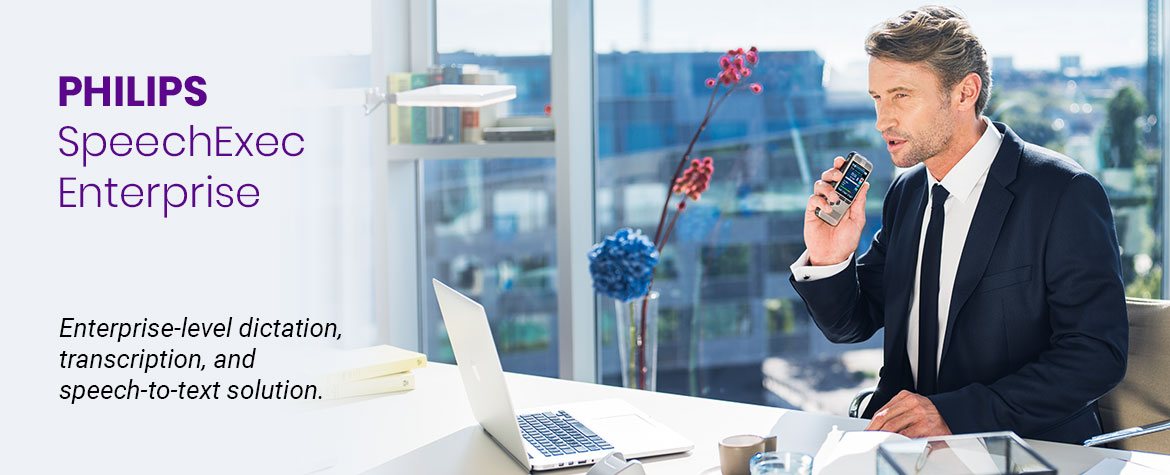
Use your voice to work faster, better and smarter with an enterprise-level dictation and speech-to-text solution
Philips SpeechExec Enterprise is an on-premise dictation and transcription solution, ideal for medium to large businesses supporting a wide range of speech-to-text scenarios. Philips Enterprise offers multiple ways to dictate in the office or on the go — from dictation workflows between authors and in-house transcriptionists or outsourced transcription services to client or server-side speech recognition. The integrated smartphone app adds mobility to your speech-to-text workflow. Remote management of users, workflow settings and hardware devices and support of virtualization reduces IT costs and simplifies administration.
- Desktop and web-based client software
- Mobile smartphone dictation, or dictation via portable or desktop dictation devices
- Front-end and back-end speech recognition (integrates with Nuance's Dragon Professional/Legal Anywhere)
- Local and remote working capabilities for authors and typists
- IT administration tools and reporting

Philips SpeechExec Enterprise Modules

SpeechExec Enterprise Dictate (authors)
The dictation module organizes and stores dictation files. You can record directly into the application with a microphone or automatically download recordings from a voice recorder. Then, the files are automatically distributed to transcriptionists. Real-time job status information allows easy tracking of your work. With the Speech Recognition package, you can watch the transcript appear in real-time or send the recognized text and audio file to your assistant for deferred correction and proofreading.

SpeechExec Enterprise Transcribe (transcriptionists)
The transcription software allows efficient access to digital voice files. Visual workflow management, including sort, search, and filter options and job information such as author, length and priority, assure productive transcription and fast document turnaround. With the ergonomic Philips Foot Control all transcription and playback functions can be controlled with your foot freeing up the transcriptionists’ hands so they can concentrate solely on typing.

SpeechExec Enterprise Web Access
Enjoy being location independent, working from any computer with a web browser, e.g. when working from home or during a business trip. Web access allows you to be independent of your office equipment and local software installations. You can upload dictations from voice recorders and transcribe them using a Philips foot control. Access can easily be granted to external employees if needed.

SpeechExec Enterprise Manager
The central administration module for the system defines user settings, job information settings, and licenses, and supports Microsoft’s Active Directory services.

SpeechExec Workflow Manager
Set up and automate a workflow for moving, copying, and deleting dictation files based on predefined rules and schedules, and send automatic email notifications.

SpeechExec Statistics Module
The Statistics Module displays comprehensive statistics on dictation, transcription, job status, and workload. Results can be easily exported to Microsoft Excel, Microsoft Word, Adobe Acrobat, Crystal Reports, or displayed as RTF documents for further processing.

SpeechExec Remote Device Management software
IT administrators can centrally configure all Philips dictation hardware and programmable accessories like the foot control, saving time and resources.

Philips App for Smartphones
The Philips App for smartphones is designed to fit perfectly into the Philips SpeechExec Enterprise suite. Record, edit, and send dictation files directly from your iOS or Android smartphone.

Philips SpeechLive transcription services
Send your recordings to the Philips SpeechLive Transcription Service, where trained transcriptionists turn even complex recordings into text for you.
Enhance your workflow when you integrate Philips SpeechExec Enterprise with Nuance Dragon Professional or Legal Anywhere
When you integrate your Philips SpeechExec Enterprise system with Nuance's Dragon Professional or Legal Anywhere speech recognition, you will have access to your own private speech recognition cloud engine that will be installed on your private and secured network to provide front-end and back-end speech recognition workflows. Turn speech into text directly into Outlook, Word, and other apps or dictate recordings and have them converted to text for faster editing and completion by your support staff. Every workflow is supported with Dragon Professional/Legal Anywhere and SpeechExec Enterprise.
Key Features
Specialized legal or professional vocabulary for maximum speech recognition accuracy: Best-in-class speech recognition capabilities with specialized legal or professional vocabulary allows professionals to dictate immediately, with no voice profile training. Achieve 99% accuracy with automatic accent detection and audio calibration. Additional vocabulary can also be added and the solution learns from its mistakes.
Collaborative direct speech recognition for convenient dictation: SpeechExec Enterprise supports a direct speech recognition scenario allowing the author to dictate in front of the screen and see the text appear in real time. The text is displayed in the SpeechExec editor where it is also possible to display customized templates. At the end of the dictation, the author can send the text file and the associated audio file for correction to their assistant.
Deferred speech recognition of dictations recorded on a voice recorder or smartphone: The deferred speech recognition scenario allows the author to dictate from anywhere at any time with the dictation solution of their choice. Once the dictation is sent, it is automatically transcribed by Dragon Legal/Professional Anywhere, and the text file and dictation are made available to the assistants for correction.
Speech recognition directly in the applications of your choice, for example CRM software, Word or Outlook: The autonomous speech recognition scenario allows professionals to dictate directly with Dragon Legal/Professional Anywere in the application of their choice, for example directly into their CRM software, Word or Outlook. In this scenario, the audio file is not recorded and the authors cannot delegate the corrections to their administrative staff, so they must take care of any corrections and document layouting.
Smartphone app to maximize on-the-go productivity: The Philips Smartphone App helps authors stay productive anywhere, anytime. It allows one to record directly into their iOS or Android mobile device and send recordings to Dragon speech recognition. The administrative team then receives an audio file as well as a text file from the speech recognition software.
GDPR compliant solution for maximum data security: The Dragon speech recognition solution integrated in SpeechExec is GDPR-compliant, with speech data transmitted over 256-bit encrypted channels and TLS protocols for end-to-end security. Audio and text files are not stored in the cloud but on the infrastructure of choice.
Dashboards and statistics for better analysis of document creation: SpeechExec Enterprise’s statistics module allows authors to use all dictation properties to measure the performance indicators of their choice. Transcription times, average duration of a dictation, periods of overactivity or volumes per department. All these indicators allow fact-based evaluation of the document creation process.
Integration with CRM software for a smooth and seamless integration and workflow: SpeechExec’s API (Application Programming Interface) allows professionals to integrate information from their CRM tool into each dictation: client name, company name, case number, etc. Several methods are possible, for example: contextual call, database exchange, barcode scan. Afterwards, once the document is transcribed, it is sent back to the CRM tool.
Support for remote and virtualized environments for easier central administration: Support for Microsoft Remote Desktop Services (RDS), Citrix and VMware enables SpeechExec applications to be delivered on demand. SpeechExec can be virtualized, centralized and managed in the data center of choice so that it can be instantly delivered as a service to users wherever they are.
Hardware support for Philips dictation devices: All Philips PocketMemo series devices, SpeechMikes and ACC2300 series foots controls are supported by SpeechExec Enterprise as well as some professional devices from other brands. This way the hardware remains a sustainable investment.